
A minor update to the SK2 Digest Plugin has been released to fix the following feature – “Links in the digest emails don’t work” – It turns out the admin pages moved between sk2 beta4 and sk2 final. Current version is 0.952 and is available for download from the SK2 Digest Plugin page.
Month: July 2005
IE7 Beta 1 – First Impressions
I woke this morning to find out, via Elliott, that IE7 Beta 1 had been released. So I headed off and logged into my MSDN subscription to download the beta install.
First impressions are that the new user interface is clean and with the introduction of tabs a great improvement. However it seems that they have thrown a few of the UI design rules out the window – for example normal Windows UI design has the menu bar at the top of the window – not two levels down beneath the address and tab bars.
Interestingly browsing to a new website brings up the “Microsoft Phishing Filter” which offers to check all the websites you visit to see if they are impersonating a trusted website. Also middle click to open in new tab is supported – working the same way as Firefox. :-).
Things are looking good for IE7 Beta 1 or Mozilla/4.0 (compatible; MSIE 7.0b; Windows NT 5.1; .NET CLR 1.1.4322)).
WordPress Version Check v0.90
WordPress Version Check v0.90 is now available.
The follow minor changes have been made in v0.90:
- Improved check for Tiger Admin Plugin – When detected alternate CSS is used for message display. Thanks to MarkJ for the new and improved CSS.
- readme.txt included in the zip file with installation instructions.
- Updated version number to 0.90.
The following new features have been added in v0.90:
- Added support for wp-dash plugin with a builtin WordPress Version Check widget.
- For advanced users who are installing this plugin on multiple blogs that they administer for others you can now enable email notification of new messages.
Optimising feed reading
As I get more and more into blogging I have seen the number of different feeds that I read on a daily basis wax and wane a fair bit. For a while I have played with a number of different desktop based feed readers and more recently web based feed readers. It is now over a year since I started reading blogs on a daily basis and the following article chronicles my journey through a number of feed readers.
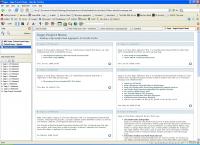 If I remember correctly I started with Sage. Sage was very easy to use and it was good at keeping track of what articles I had/hadn’t read and provided a nice look-and-feel to the feed display.
I stuck with Sage for quite a while but it didn’t quite hit the spot with regard to integrating the tracking of a large number of feeds. I found myself frustrated by the process of switching between the different feeds to read the new items – what was missing for me was an integrated view with the unread posts in chronological order – In other words you have to read through a feed at a time which involves a lot of switching around the UI and can suck up a lot of precious feed reading time.